Prefix.dev logoPrefix.dev logo
Channels
Paxton with wand and angel wings on starry night sky background
Pixi
How to manage dependencies
Rattler Build
How to build conda packages
Rattler API
Rust + Python Bindings
Channels
How to host your own packages
GraphQL API
How to use our GraphQL API
API Keys
Set your own API keys
Go to Overview
Paxton with wand and angel wings on starry night sky background
pixi
Our Open Source Software Package Manager
rattler-build
The fast package build tool
rattler
Low-level Rust & Python libraries to create conda environments quickly
Prefix.dev
Browse packages & Host your own
Blog
Pricing
Sign in
0
Paxton with wand and angel wings on starry night sky background
Pixi
How to manage dependencies
Rattler Build
How to build conda packages
Rattler API
Rust + Python Bindings
Channels
How to host your own packages
GraphQL API
How to use our GraphQL API
API Keys
Set your own API keys
Go to Overview
Paxton with wand and angel wings on starry night sky background
pixi
Our Open Source Software Package Manager
rattler-build
The fast package build tool
rattler
Low-level Rust & Python libraries to create conda environments quickly
Prefix.dev
Browse packages & Host your own
0

Prefix.dev

  • prefix
  • Overview
  • Browse packages
  • API and API Keys
  • GraphQL API
  • Channels
  • Overview
  • Find and inspect channels
  • Paths and priority
  • Create and configure
  • Use channels
  • Publish packages
  • Manage access
  • Channel notices
  • Lifecycle
  • Pixi
  • Documentation
  • Repository
  • rattler-build
  • Documentation
  • Repository
  • rattler
  • Rust API
  • Python API
  • Repository

Channel noticesPublish CEP-6 channel notices shown on the channel page and to compatible conda clients.

Prefix.dev supports CEP-6 channel notices. Use notices for announcements, deprecations, or security advisories. Active notices are shown on the channel page and provided to compatible conda clients.

Create a notice

Open your channel, select Go to Settings, then select Notices. The page lists the channel's existing notices.
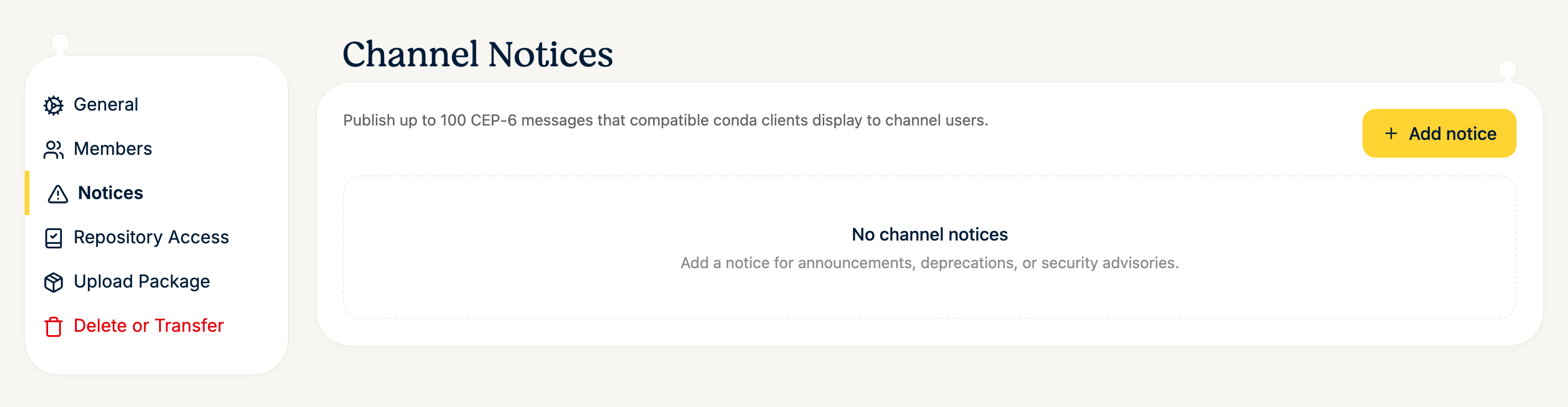
Channel Notices settings page with an empty list and an Add notice button.Channel Notices settings page with an empty list and an Add notice button.

Select Add notice and fill in the dialog:

  • Notice ID — a stable identifier such as maintenance-2026-08. IDs are unique within the channel.

  • Message — the text shown to users.

  • Level — Info, Warning, or Critical.

  • Expires at (optional) — after this time the notice is no longer active.
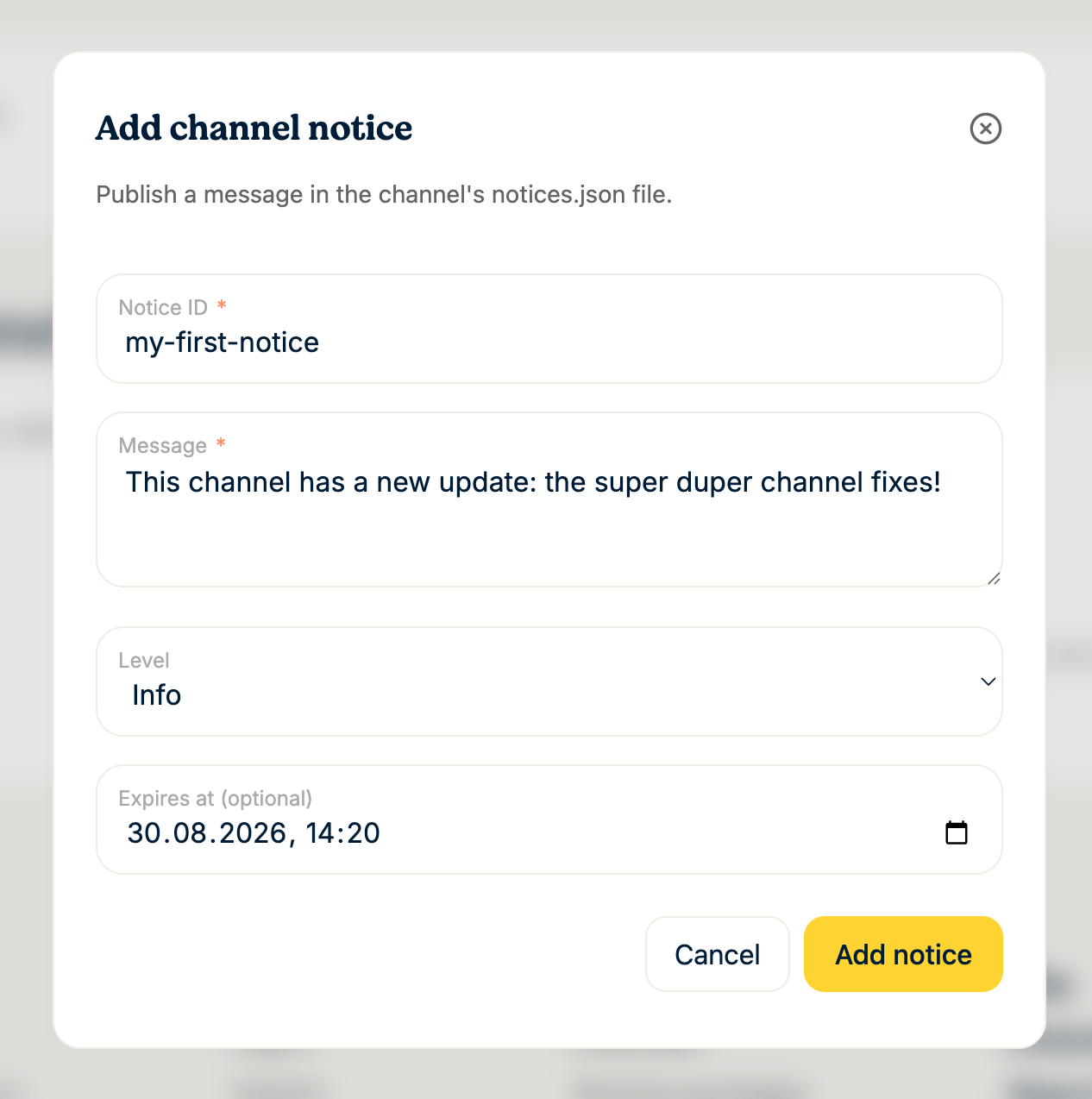
Add channel notice dialog with Notice ID, Message, Level, and optional expiration fields.Add channel notice dialog with Notice ID, Message, Level, and optional expiration fields.

Select Add notice to publish it. The notice becomes active immediately and appears in the list, where you can edit or delete it later with the icons on the right. Each channel can have at most 100 notices.
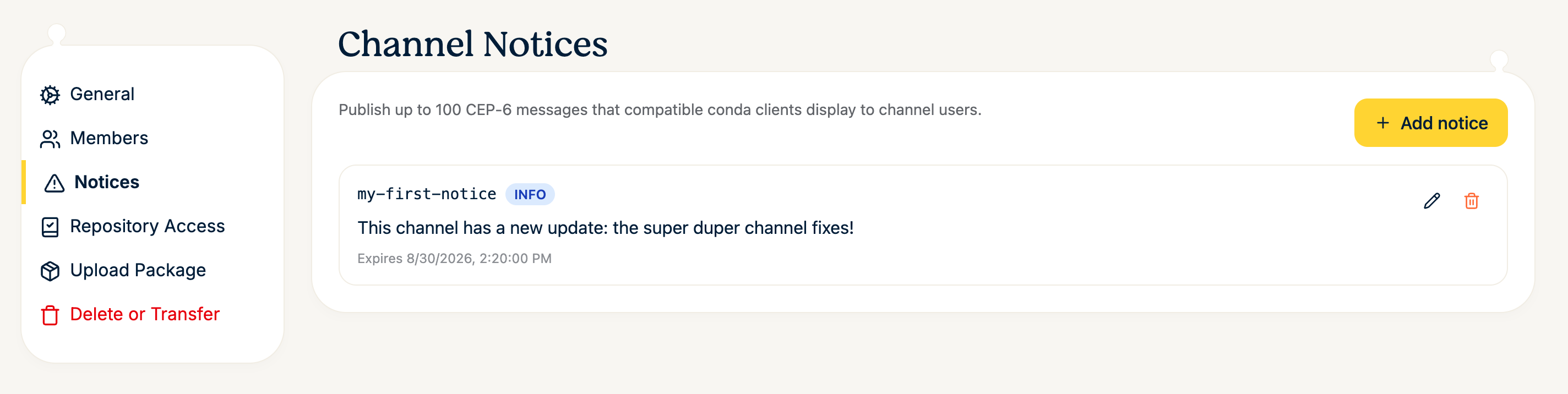
Channel Notices settings page listing a notice with an INFO badge and edit and delete controls.Channel Notices settings page listing a notice with an INFO badge and edit and delete controls.

Where notices appear

On the channel page, every visitor sees active notices as a banner below the channel header, labeled with the notice level:
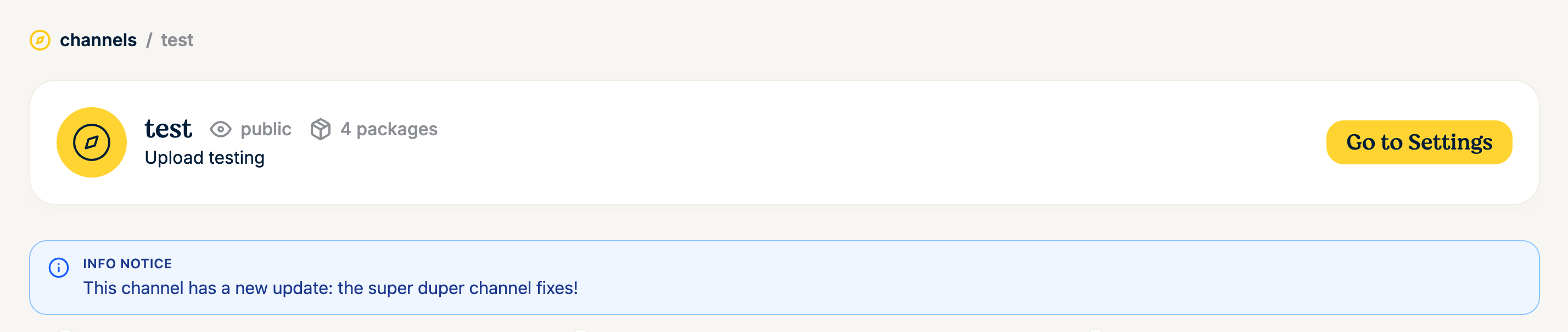
Channel page showing an info notice banner below the channel header.Channel page showing an info notice banner below the channel header.

Compatible conda clients also pick up notices. conda, for example, shows new notices when you create or update an environment, and lists a channel's notices on demand:

conda notices -c https://repo.prefix.dev/acme/research

Notices are served from the channel root:

https://prefix.dev/<channel>/notices.json

The repository service applies the same channel read authorization as package and repodata requests, so notices for private channels are not exposed publicly. Clients that are authorized to download from a private channel can also read its notices.

Automate with GraphQL

You can also manage notices programmatically. Create a notice with the createChannelNotice GraphQL mutation, and edit or delete existing notices with the corresponding mutations. Each notice has a stable identifier, message, level (INFO, WARNING, or CRITICAL), and optional expiration time.

Mirrored channels

Mirrored channels cannot be modified through these mutations. Their notices are synchronized from the upstream channel's notices.json whenever the mirror runs. A missing upstream file clears mirrored notices; transient HTTP and decoding failures preserve the last successfully mirrored notices.

Next steps

  • Create and configure a channel

  • Manage channel access

  • Manage package and channel lifecycle

Previous Chapter

Manage access

Next Chapter

Lifecycle
Channel notices
  • Create a notice
  • Where notices appear
  • Automate with GraphQL
  • Mirrored channels
  • Next steps
Last render: 8/18/2026, 5:39:08 PM
Tools
pixi open source package managerrattler-build a conda package builder in Rustrattler Rust crates to work with condamamba a cross-platform package managerquetz host packages easily
Company
TeamImprintContact us
Docs
OverviewBrowse packagesAPI and API KeysGraphQL API
BlogChannelsReport Issues
Prefix.dev logoPrefix.dev logo
© Prefix.dev GmbH All rights reserved.
Terms of ServicePrivacy Policy
Prefix.dev logoPrefix.dev logo
All systems operational